BankChangeProof
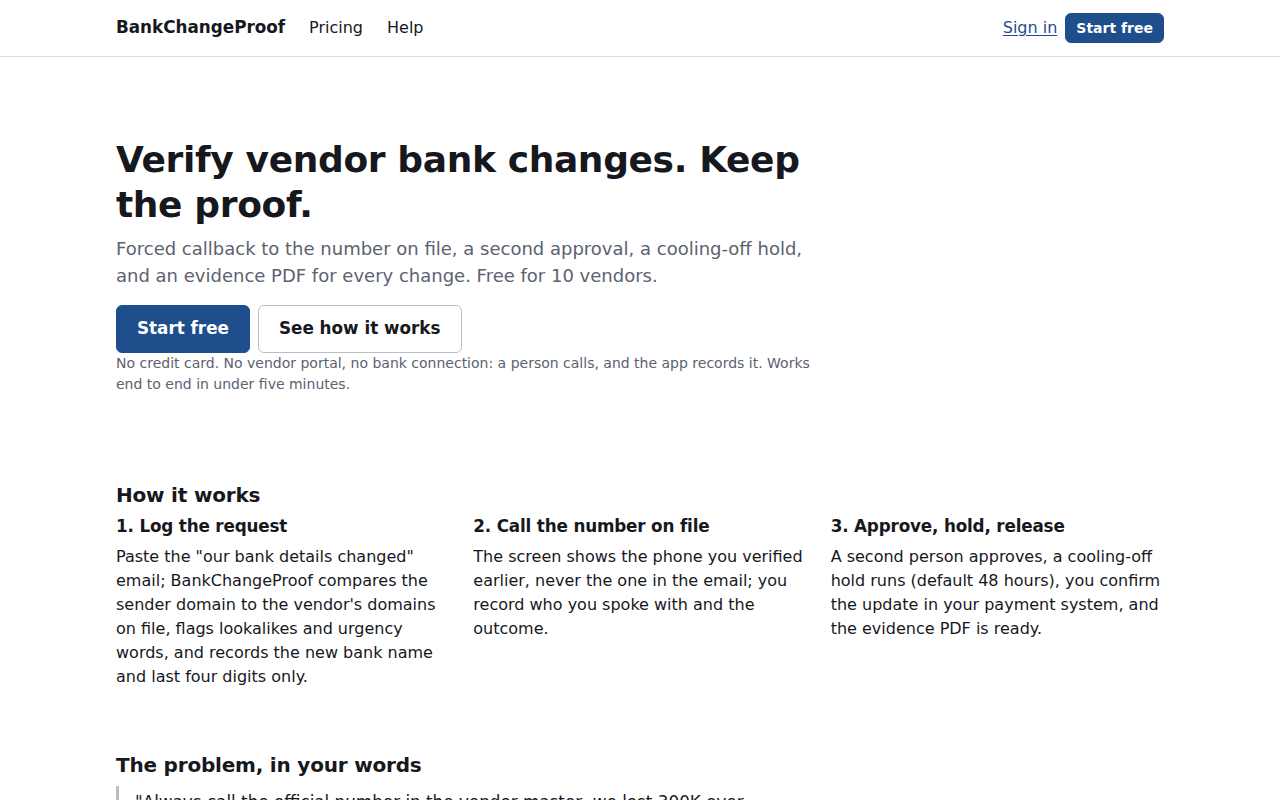
Verify vendor bank changes. Keep the proof. The system of record for vendor bank-detail changes: forced callback to the number on file, second approval, cooling-off hold, and a per-change evidence PDF your insurer and auditor will accept.
The problem, in your words
"Our banking details changed" emails cause five- and six-figure losses, insurers deny claims when nobody called to verify, and auditors flag the absence of a banking-change control. The enterprise tools are quote-only; the control most teams have is a spreadsheet, if anything.
“Always call the official number in the vendor master, we lost 300K over that one.”
“Their insurance claim was subsequently denied because they didn't call to verify the wire instructions.”
“We pay around 40 vendors regularly. No formal process for verifying banking changes beyond checking that the email looks right.”
How it works
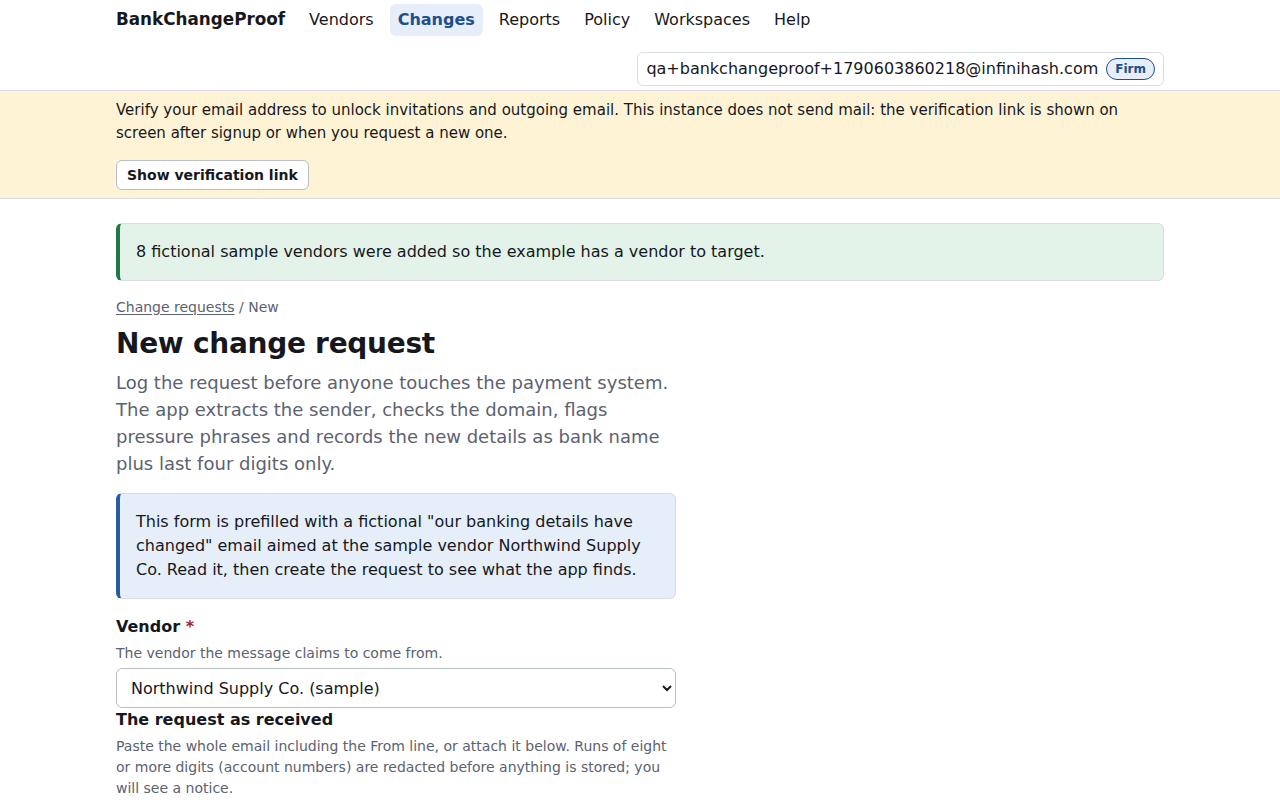
Log the request: paste the "our bank details changed" email; BankChangeProof compares the sender domain to the vendor's domains on file, flags lookalikes and urgency words, and records the new bank name and last four digits only.
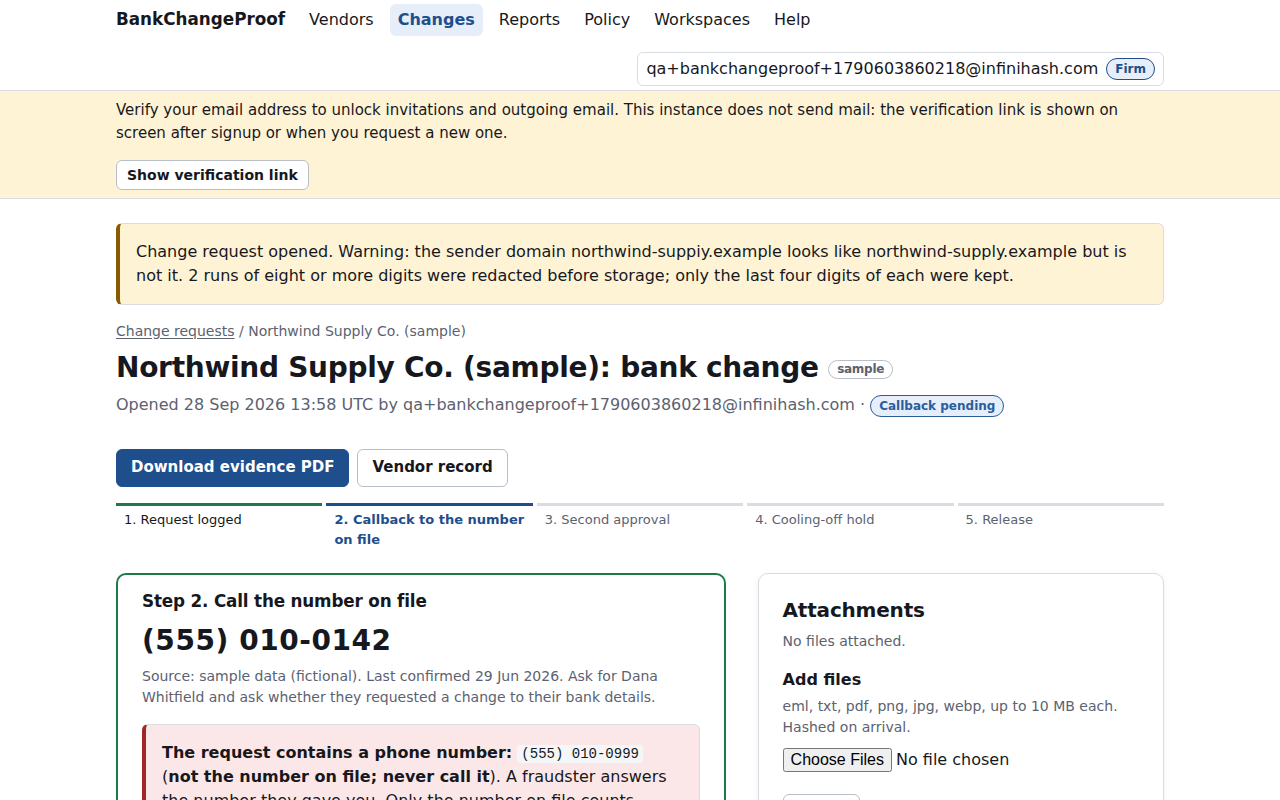
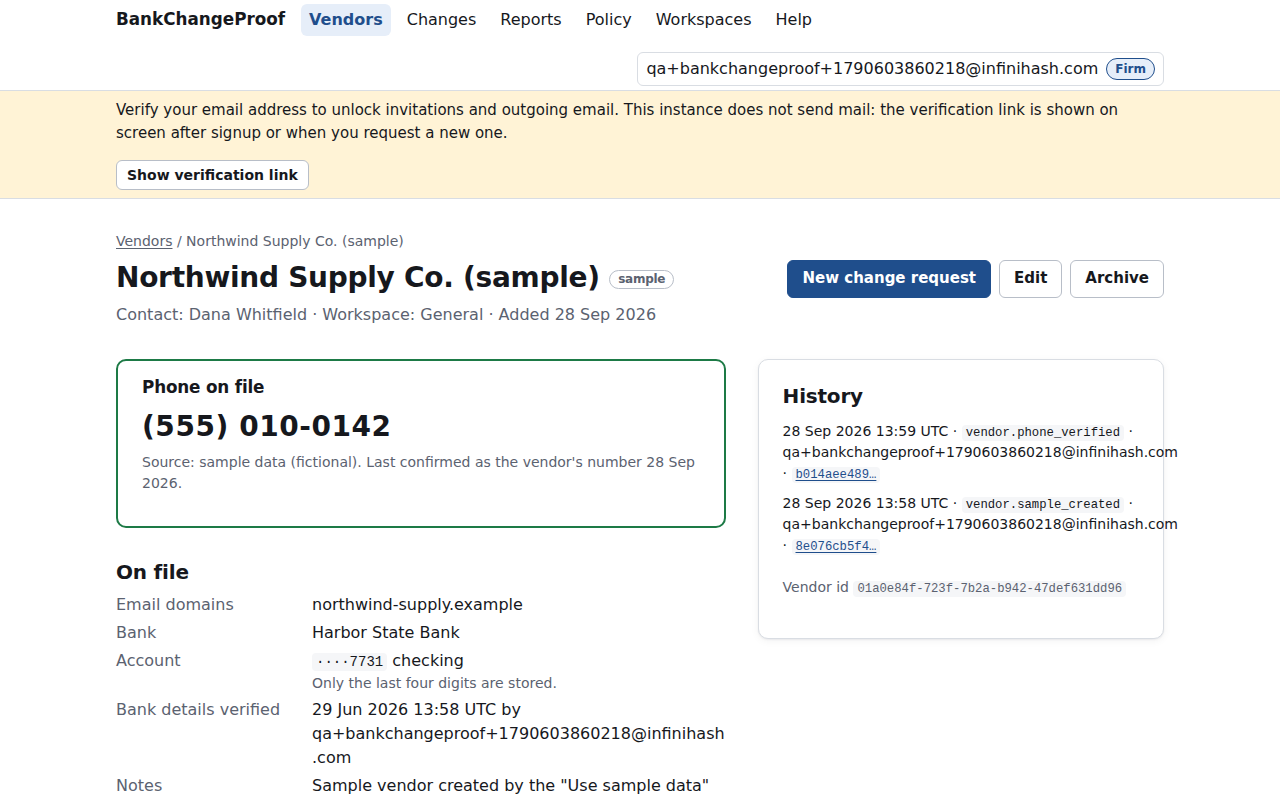
Call the number on file: the screen shows the phone you verified earlier, never the one in the email; you record who you spoke with and the outcome.
Approve, hold, release: a second person approves, a cooling-off hold runs (default 48 hours), you confirm the update in your payment system, and the evidence PDF is ready.
What you get
- Vendor registry with a verified phone on file and stale-verification flags.
- Sender-domain check before you call: match, lookalike, or unknown.
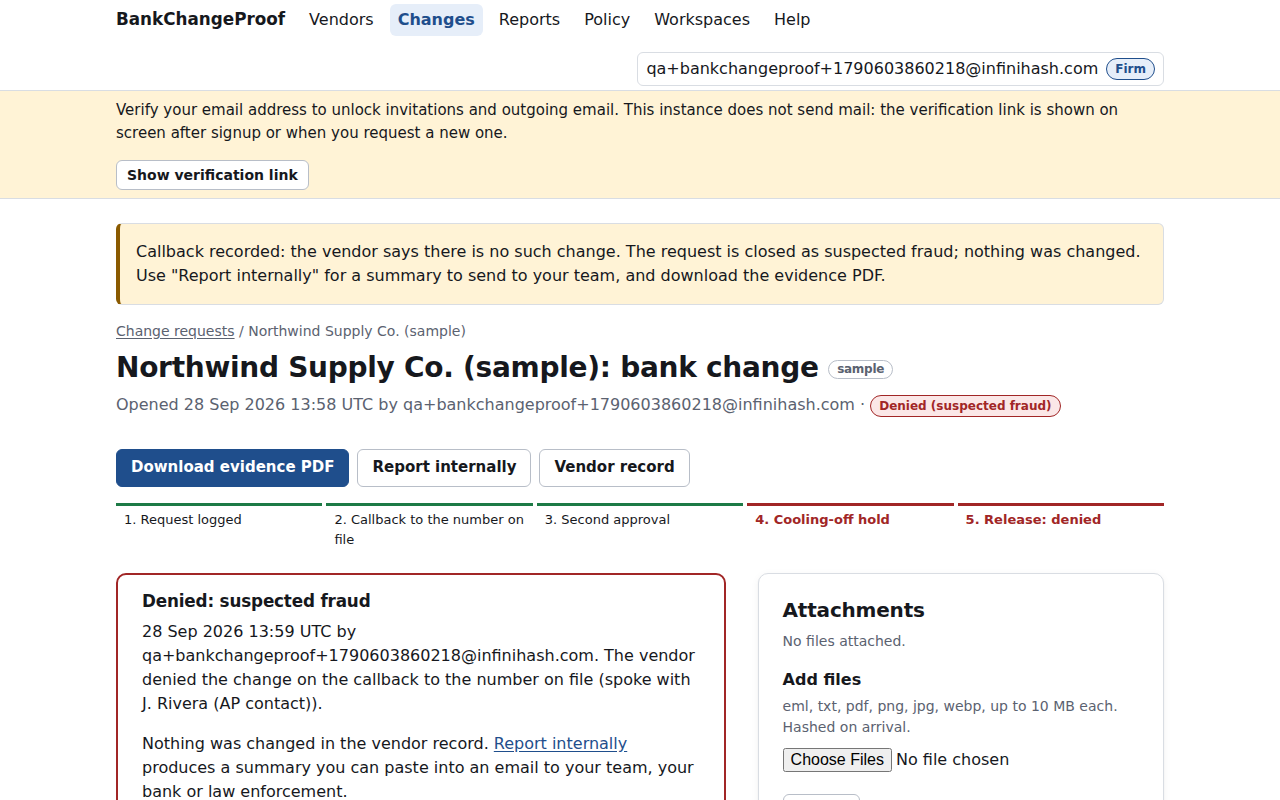
- Mandatory callback record: number used, who answered, outcome, notes.
- Second approval by a different user; a solo exception is recorded in bold.
- Configurable cooling-off hold with a reminder when it ends.
- Evidence PDF per change, auditor export, and a printable one-page policy.
Screenshots
Pricing
Flat monthly prices. Limits are enforced with upgrade prompts, never by losing data. Cancel any time from the app's billing page. Refund policy.
Team
$39 per month
- Up to 250 vendors
- 5 users
- Second-approver workflow
- Cooling-off reminders
- Monthly digest
- Auditor export
Firm
$79 per month
- Unlimited vendors
- Multi-client workspaces
- 15 users
- Per-client exports
- Priority support
Questions
- What do you store, and where?
- Vendor names, contacts, verified phone numbers, email domains, bank name, account type and last four digits only. Validators reject longer digit strings; the free-text scrubber redacts eight-plus digit runs and tells you. Uploads are hashed. Data sits in this app's own database on InfiniHash-operated servers, backed up nightly; encrypted backups at rest are v1.1, stated on /security.
- What happens when I cancel?
- Your subscription ends at the close of the billing period and the account moves to Free. Nothing is deleted. Export vendors and evidence if you want a copy; use the retention setting or hard delete when you want the data gone.
- Does it replace Trustpair, Bill.com, or my bank's verification service?
- No. Those platforms validate bank accounts or move payments inside their own rails. BankChangeProof is the callback-and-approval record for teams paying by ACH or wire from their own bank, whose control today is a spreadsheet. It works beside any payment system; you record the reference at release.
- Do vendors, approvers, or clients need accounts?
- Vendors never touch the app; you call them. Approvers are users in your account (Team: 5, Firm: 15), notified by email and an in-app queue. Firm workspaces keep each client's vendors and evidence separate, with per-client exports. No vendor portal in v1.
- Is this legal, audit, or insurance advice?
- No. BankChangeProof records the actions your team took and produces the document an auditor or insurer asks for. It does not certify anything against a standard or determine coverage. The PDF footer says so: it records actions taken in the application and is not legal, tax, or audit advice.
- How do I get my data out?
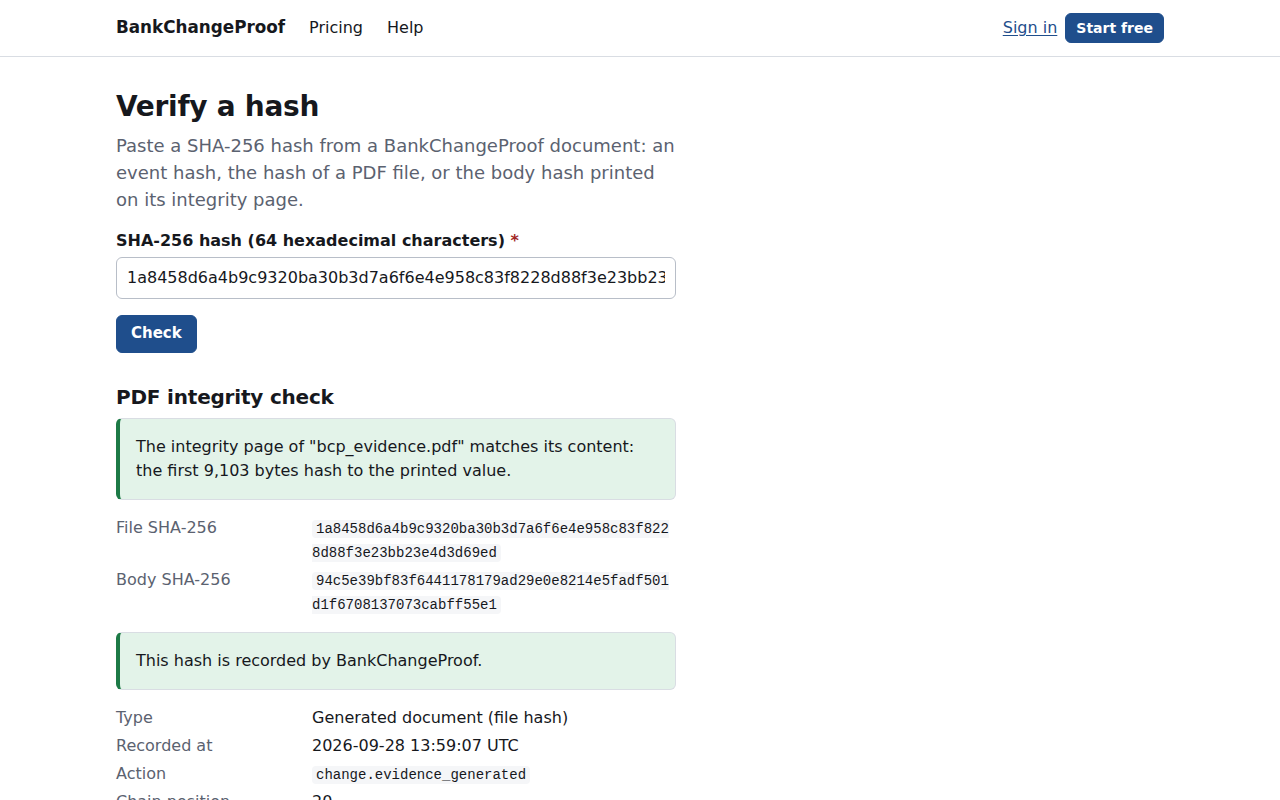
- Reports → Export produces a CSV of vendors and change requests plus a zip of every evidence PDF for a date range (Team and Firm). On Free, download each PDF from its change page. Every PDF carries its own SHA-256 and a public verify URL, so it stands alone after you leave.
What it is not
- It does not verify account ownership or make the call for you; a person calls, and the app records it.
- It does not move money or connect to your ERP or AP system; you update that system and record the reference.
- It does not prove a payee is legitimate; the PDF states what was recorded, by whom, and when.
Guides
Links
- bankchangeproof.infinihash.com — the app
- Help and changelog
- Security page of BankChangeProof · practices shared by every app
- Live status · health endpoint
- Launched 28 Sep 2026.